
Phone got wet or dropped in water: first aid
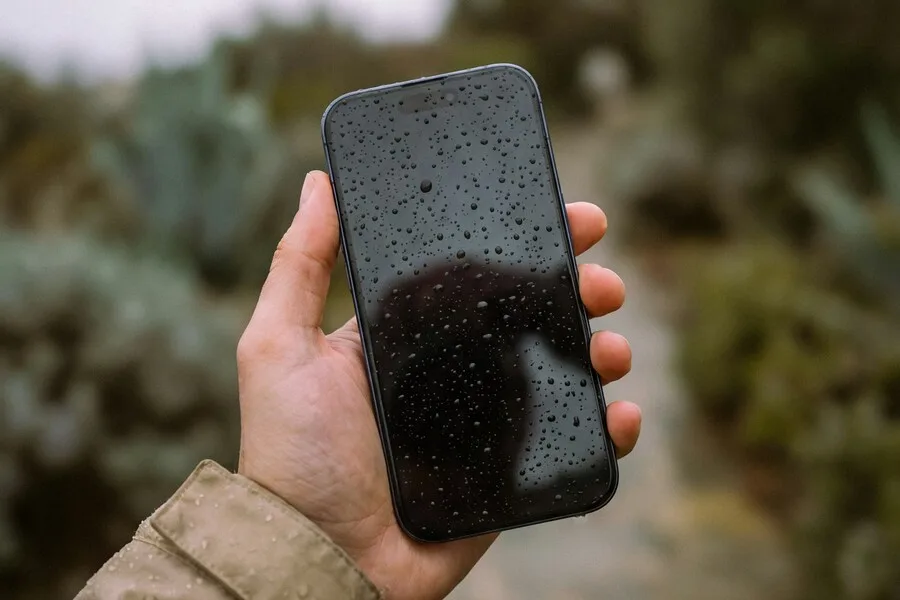
One moment of inattention is enough. The phone slips into the sink, the rain catches you out or it drops by the water. And there is the panic and the question of what now. With a wet phone the first minute decides, and above all what you do, or do not do, in it. This article is clear first aid: what to do right away, what never to do and when it is time to rush to us.
It is a close relative of our guide to spilled electronics, only with a phone you have less room and more reason to act quickly and correctly.
What to do in the first minute
This is the most important part. In the order it should go:
- Take the phone out of the water and turn it off at once. If it is on, electricity and water together cause a short. Turning it off is the first thing.
- Do not plug it into a charger and do not power it on. The temptation to check whether it works is strong, but powering on a wet device is exactly what can finish it off.
- Wipe it dry with a soft cloth, outside and around the connectors.
- Remove the SIM and memory card and open what can be opened without force.
- Lay it screen up in a dry, airy place and leave it to dry undisturbed.
That is all. The rest is patience and, above all, not doing the things that make it worse.
What never to do
More bad advice circulates about wet phones than good. These three are the most harmful:
- Rice is not a solution. It is the most widespread myth. It draws moisture only slowly and imperfectly, and dust and starch can get into the connectors. If you do want to speed up drying, use a sachet of moisture absorber (silica gel), not rice.
- No heat. No hairdryer, radiator or oven. Heat damages the battery, display and bonded joints, and hot air drives moisture deeper in. Dry only at room temperature.
- Do not shake it or blow into it hard. All you do is spread the water to other places it has not reached yet.
Beware a false sense of security
Two things lull your vigilance. The first is water resistance. It is not a guarantee and weakens over time as the seals age. It also mostly applies only to clean water. The second is that the phone seems to work after drying.
That second one is treacherous. The device may work for a while and problems appear only days or weeks later, when corrosion sets in inside. It shows up as a dead microphone, speaker, camera or charging. So if the phone got seriously wet, it is worth having it checked even if it works on the surface.
Not all water is the same
The type of liquid matters. Clean water is the least bad of the bad options. Far worse are salty sea water and sugary or dirty liquids, because they are conductive and aggressive and cause corrosion considerably faster.
If the phone fell into the sea, into a sweet drink or another dirty liquid, time works against you even more. Then do not wait for it to “dry out”, but bring it in as soon as possible so it can be cleaned before corrosion does permanent damage.
When to leave it to us
Drying at home helps with minor wetting, but with more serious flooding it is wiser to have the device professionally taken apart, cleaned and dried from inside while it can be. We have the tools and experience for it and can assess the extent of the damage.
If you are not sure how serious it is, our click-through diagnostic helps too, where for a wet device it tells you right away what to do immediately. And when needed, bring the phone to us, the sooner the better the chance of saving it.
Phone got wet? Time is against you
We professionally take the device apart, clean and dry it while it can still be saved. The sooner you come, the better. For homes and businesses in Liptov.
Get in touchThis article is part of our guide to service and maintenance.
Comments and questions 0
We keep the discussion to the point. Ads, links to other services, profanity and personal attacks will not be published. Neither will posts containing other people's personal data.
Frequently asked questions
What should I do right away when a phone falls into water?
Does rice help dry a wet phone?
Can I dry a wet phone with a hairdryer or on a radiator?
My phone is water resistant. Do I have to bother?
The phone works after drying. Am I in the clear?
What water is worst for a phone?
Need help with IT?
We will take care of your computers, networks and security - for businesses and households in the Liptov region.
Contact us