
Virtual reality (VR): what it is, what it is for and what you need
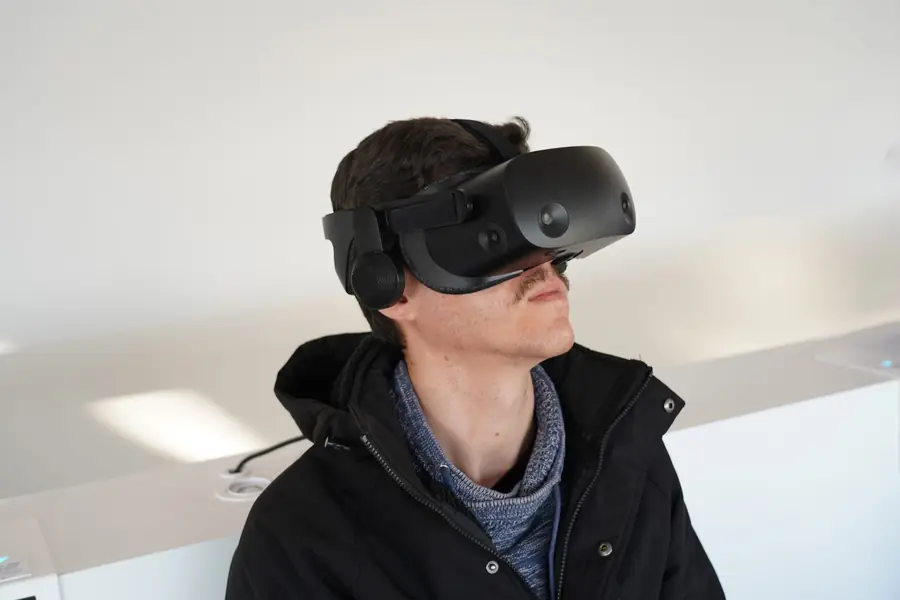
Virtual reality is no longer sci-fi, you put on a headset at home and find yourself in another world. What exactly is it, what does it suit and what do you need for it? Let us explain.
What virtual reality is
Virtual reality (VR) is a technology that, through a headset on your head, immerses you in a three-dimensional world. When you turn your head, the picture turns too, so you feel you really are there. Movement and interaction are handled by controllers in your hands or by gestures directly.
What it is used for
We know VR mainly from games, but the use is far broader:
- Fitness and exercise in a game that gets you moving.
- Education and training, for example simulations and practicing procedures.
- Design and architecture, a walk through a building before it is even built.
- Virtual meetings and remote collaboration.
Types of VR
- Standalone headsets, for example the Meta Quest line, work on their own without a computer. They are the easiest to use.
- PC VR connects to a powerful computer and offers better graphics, but is more expensive and more demanding on the build.
- Mobile VR with a phone in goggles is marginal and weak today.
What you need
A standalone headset is enough on its own. PC VR needs a powerful computer with a good graphics card and also free space to move. Also count on the fact that some people may feel unwell in VR.
Key parameters
- Display resolution decides sharpness. At low resolution you can see the pixel grid (the “screen-door” effect).
- Refresh rate (Hz). A higher one (90 Hz and up) means a smoother picture and less nausea, so it matters more than on a regular monitor.
- Field of view (FOV) sets how much of the surroundings you see, a higher FOV increases the sense of immersion.
- Motion tracking. Modern headsets use inside-out tracking, the cameras are right on the goggles and you do not need external sensors in the room.
Motion sickness and how to prevent it
Motion sickness arises when the eyes report movement but the body does not feel it, especially in beginners. It helps to start with calm games, take breaks, use a headset with a higher refresh rate and turn on comfort settings in games (for example “snap” teleport movement instead of smooth motion). After a few sessions the brain usually adapts.
What to watch out for
- Comfort and weight, you have the headset on your head for a while.
- The content library, that is the available games and apps.
- Space and safety. Clear a free area (usually at least 2 by 2 meters), put away fragile things and use the boundary marking the headset shows when you get near a wall.
Interested in VR or need a computer that can run it? Get in touch, we will advise and build a custom gaming computer for demanding virtual reality too.
Building a computer ready for VR?
We advise on the right headset and put together a custom PC with enough power for smooth, comfortable virtual reality. For homes and businesses in the Liptov region.
Get in touchThis article is part of our Gaming overview.
Comments and questions 0
We keep the discussion to the point. Ads, links to other services, profanity and personal attacks will not be published. Neither will posts containing other people's personal data.
Frequently asked questions
What is the difference between standalone and PC VR?
Do I need a powerful computer for virtual reality?
Why do some people feel sick in VR?
How much space do I need for VR at home?
What refresh rate should a VR headset have?
What is VR used for besides gaming?
Need help with IT?
We will take care of your computers, networks and security - for businesses and households in the Liptov region.
Contact us