
Reliable video calls in a company: camera, sound, network and lighting
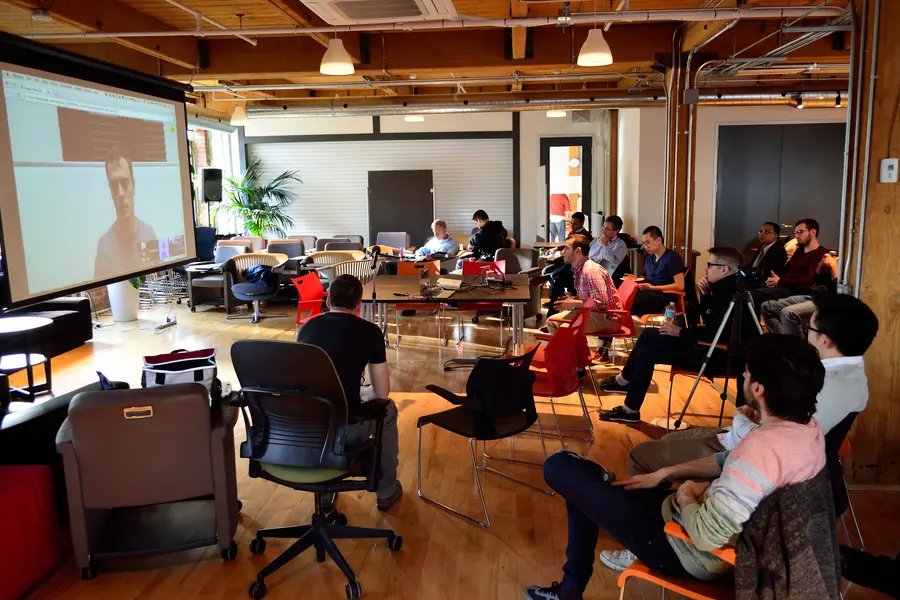
Video calls and online meetings have become a common part of work. But a choppy picture, an echo or unintelligible sound look unprofessional and waste time. Yet most problems have a simple solution. Let us go through what really matters for quality video calls.
The most important thing is: sound, not picture
This is surprising, but it is so. People forgive an average picture, but bad sound annoys them immediately. An echo, noise or a distorted voice make a call unpleasant. So invest in sound first:
- A separate microphone or a headset is significantly better than the laptop’s built-in microphone.
- Echo suppression. In a room with hard walls, soft elements (curtains, a carpet) help too.
- A quiet room. The microphone picks up and transmits noise from the surroundings.
The choice is discussed more in the article on how to choose a webcam and microphone.
Camera and picture
After sound comes the picture:
- A quality webcam is better than an older one built into the laptop.
- Camera height at eye level. A laptop on the desk shoots from below, which is unflattering. A laptop stand or a stand helps.
- The background. A tidy and non-distracting background looks professional.
Lighting, which is forgotten
Even the best camera needs light. Without it the picture is dark and grainy.
- Let the light come from the front, not from behind. A window behind your back turns you into a silhouette.
- Soft, even light is the most flattering.
- Additional light in front of the face significantly improves the picture even in a darker room.
This also relates to workplace ergonomics.
Network and connection
A choppy call is almost always about the network:
- A cable connection is more reliable than WiFi for important calls.
- Sufficient speed and stability, especially upload, more in the article on internet speed.
- Prioritizing the call (QoS), so a background download does not drop the quality, more in the article on QoS.
- For critical operation a backup connection, so an outage does not disconnect you in the middle of a meeting.
Extra practical tips
- Test your equipment in advance, not a minute before the call.
- Mute the microphone when not speaking, especially on larger calls.
- Up-to-date video call software prevents problems.
- A backup plan. When the picture drops, sound is still important.
Conclusion
A reliable video call is not about the most expensive equipment, but about the right priorities: sound first, then light, camera and a stable network. A few thoughtful steps turn choppy calls into smooth and professional meetings.
Want to sort out quality video calls, a meeting room or equipment for online meetings in your company? Get in touch, we will design and set up a tailored solution.
We set up reliable video calls and your meeting room
We design and set up the camera, sound, lighting and network so your online meetings run without dropouts. For households and businesses in Liptov.
Get in touchThis article is part of our Business IT overview.
Comments and questions 0
We keep the discussion to the point. Ads, links to other services, profanity and personal attacks will not be published. Neither will posts containing other people's personal data.
Frequently asked questions
Why does sound matter more than picture in video calls?
What is the best microphone for company video calls?
How should I light my face for a video call?
Why is a cable better than WiFi for important calls?
What is QoS and why does it help with video calls?
What should I do if the picture drops during a call?
Need help with IT?
We will take care of your computers, networks and security - for businesses and households in the Liptov region.
Contact us