
OcuLink: the connector that gets graphics out of the computer
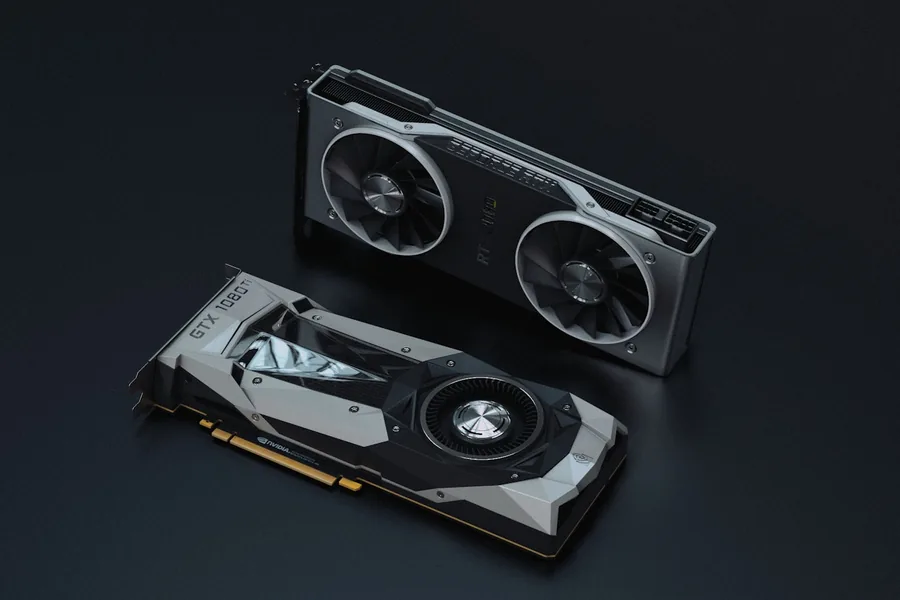
Small computers (mini PCs) and gaming handhelds are more powerful than ever, but a full-size graphics card simply does not fit inside them. OcuLink is an inconspicuous connector that solves this problem in a surprisingly direct way: it takes the PCIe bus out of the computer through a cable. Let us explain what it is, how it differs from Thunderbolt and when it is worth it.
What OcuLink is
OcuLink (officially the SFF-8611/SFF-8612 connectors) is a standard by PCI-SIG, the same organisation that maintains PCI Express. It appeared around 2015 for servers and data storage - manufacturers originally used it to attach fast U.2 drives and expansion boxes.
The essence is simple: OcuLink is a PCIe extension cord. It does not translate data into another protocol, it just routes a few PCIe lanes (most often four, i.e. x4) from the board into a cable. We covered what PCIe lanes and generations are in PCIe lanes: how count and speed affect the whole build.
OcuLink reached ordinary users only recently, when mini PC and handheld makers started fitting it as a cheap path to an external graphics card (eGPU).
How fast it is
OcuLink carries plain PCIe, so the speed is set by the generation and the lane count - exactly like a slot inside a computer:
| Variant | Throughput | Note |
|---|---|---|
| OcuLink PCIe 3.0 x4 | ~32 Gb/s (4 GB/s) | older ports |
| OcuLink PCIe 4.0 x4 | ~64 Gb/s (8 GB/s) | today’s standard on mini PCs |
For comparison: a full x16 slot in a desktop has four times as much. That sounds like a big difference, yet x4 is surprisingly good for gaming - a graphics card does not move data constantly while playing, so the typical loss is only around 10 to 15 % compared to a full slot.
OcuLink versus Thunderbolt and USB4
Thunderbolt and USB4 can attach an external GPU too. The difference is what happens along the way:
| OcuLink (PCIe 4.0 x4) | Thunderbolt 4 / USB4 | |
|---|---|---|
| Throughput for graphics | ~64 Gb/s | 40 Gb/s, of which ~32 Gb/s is really available for PCIe |
| Transport | direct PCIe, no converter | PCIe tunnelled through a controller |
| Latency | lower | higher (controller overhead) |
| Hot-plug | no - connect while powered off | yes |
| Powering the device | no | yes (including laptop charging) |
| Dock price | lower (no licences or controllers) | higher |
In short: Thunderbolt is more convenient, OcuLink is faster and cheaper. Since it contains no converter electronics, an OcuLink dock costs a fraction of a Thunderbolt one and gives the graphics card more bandwidth and lower latency.
What OcuLink is used for
- External graphics for mini PCs and handhelds. By far the most common use today. You connect a mini PC with an OcuLink port (for example from Minisforum, GPD or Beelink) to a dock holding an ordinary desktop graphics card - and the little office box becomes a gaming or AI machine. We advise on choosing the card in how to choose a graphics card.
- Fast storage in servers. The original mission - attaching U.2/NVMe drives and disk arrays directly over PCIe.
- Industrial and special builds. Measurement cards, accelerators or expansion boxes wherever PCIe is needed outside the case without expensive infrastructure.
If your computer has no OcuLink port, adapters from a spare M.2 slot exist (it also carries PCIe x4). They require opening the computer and extra cabling though, so they are more for tinkerers.
What to watch out for
- No hot-plugging. Connect and disconnect the GPU dock with the computer powered off, otherwise you risk a system crash.
- The graphics card needs its own power. OcuLink does not deliver power - the dock needs an external power brick or an ATX supply.
- Short cable. The PCIe signal is sensitive, cables tend to be up to about half a metre. The dock therefore has to sit next to the computer.
- Cable quality matters. A cheap cable shows up as transfer errors or dropping to a lower PCIe generation.
- BIOS support. With M.2 adapters it pays to verify the board can boot a graphics card on that slot.
Is it worth it?
If you have (or are considering) a mini PC or handheld with an OcuLink port and want to game or work with graphics and AI tasks, it is currently the best-value path to big-GPU performance. For the price of a dock and an ordinary desktop card you get a build that fits into a desk drawer.
If you have an ordinary laptop instead, you will not find an OcuLink port on it - there a USB4/Thunderbolt dock makes more sense, or a desktop outright. The overview of USB versions and connectors can help with the decision.
Conclusion
OcuLink is no magic - it is plain PCIe routed out through a cable. Its strength lies exactly in that simplicity: no converters, no licences, full speed and a low price. For mini PC owners it is currently the cheapest ticket to external graphics; just count on connecting while powered off and on a short cable.
Thinking about a build with a mini PC and external graphics? Get in touch, we will help with both the choice and the setup.
A tailored mini PC and external graphics build
We advise on choosing the OcuLink dock, the graphics card and the whole build based on what you need the computer for. For households and companies in Liptov.
Get in touchThis article is part of our Hardware and components overview.
Comments and questions 0
We keep the discussion to the point. Ads, links to other services, profanity and personal attacks will not be published. Neither will posts containing other people's personal data.
Frequently asked questions
What exactly is OcuLink?
What is the difference between OcuLink and Thunderbolt?
What is OcuLink most commonly used for?
Can a GPU dock be connected over OcuLink while the computer is running?
What is the real performance loss of graphics over OcuLink versus a full slot?
What do I need if my computer has no OcuLink port?
Need help with IT?
We will take care of your computers, networks and security - for businesses and households in the Liptov region.
Contact us