
Cybersecurity: a complete guide for businesses and households
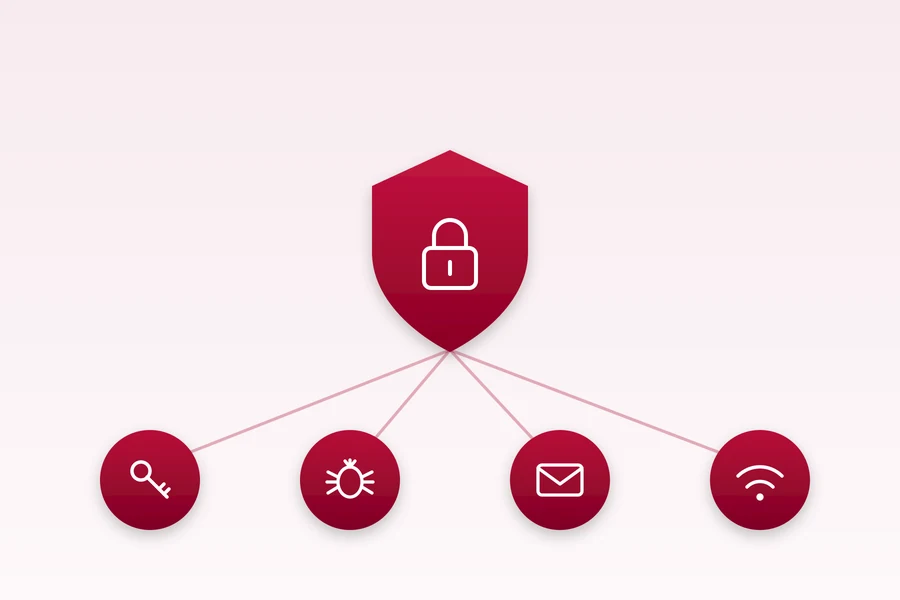
People usually start caring about security only once it is too late: after an encrypted computer, a stolen account or a payment sent to a fraudster. Yet 90 % of attacks are not about brilliant hackers, but about ordinary carelessness that a few habits can prevent.
This is a hub page for our security articles. From passwords and antivirus through scams to protecting a business. Pick what you are dealing with, you do not have to read it all at once.
Passwords and sign-in
The weakest link is usually the password. Start with how to make a strong yet memorable password and why a password manager with two-factor authentication is worth it.
- 2FA and MFA: why to turn it on and not forget backup tokens
- How to create a strong password (and not forget it)
- Passkeys: passwordless sign-in and why it is safer
- Why Microsoft keeps pushing the PIN
- How to securely send a password or a sensitive file via a link
- Has your password leaked? How to tell and what to do right away
- Digital legacy: what happens to your accounts and passwords when you are gone
Protecting the computer
Good news: for an ordinary computer, Microsoft Defender is enough for most people. The bad news: the threat is not just a virus. Look at the types of viruses and malware and types of hacker attacks, so you know what you are protecting against.
- Windows 11 Smart App Control: protection from malicious apps
- Windows Sandbox: safely trying a program in isolation
- Disk encryption: BitLocker, FileVault and LUKS
- What Secure Boot is and why to keep it on
- What TPM 2.0 is and why Windows 11 requires it
- How the most common hacker attacks work and what tools attackers use
- How to tell if your computer or smartphone is hacked or being watched
- Securing your phone: what to actually set up
- Lost phone: two settings that decide whether you find it
- What a crack and cracking are and why to avoid them
- What Kali Linux is: a distribution for security experts
Scams and phishing
This is the most common way people lose money today. Learn to spot a phishing e-mail and scam messages, because attackers today do not crack passwords, they trick the person.
- Safe online shopping: how to recognise a fake e-shop
- Tax refund scam: how they find you through your domain
- Beware of the scam SMS about an unpaid fine
- Fake SMS from GLS: we walked the scam site to the end and this is what it does with your data
- A scam SMS in the same thread as the real Apple codes: what waits behind the link
- An SMS about an unpaid tax fine: a scam that ends at your bank login
- Two critical PHP holes (php2shell): why the risk begins with the fix
- “ZSE may cut off your electricity”: the scam SMS that wants your payment card
- Beware of the scam email about a traffic fine
- Two emails from “Apple” on the same day: one real, one scam. How to tell them apart
- “Your domain will be deleted today”: we followed a scam from the e-mail to a fake WEDOS payment gateway
- “I have access to your camera, pay $1,250”: the extortion email from your own address
- The extortion email that arrived even at mailboxes that do not exist
- We watched the price for three months, then the seller wanted double: pressure on AliExpress
- Motorway vignette scams: fake sites and SMS messages
- Marketplace seller scam on Vinted and classifieds: the fake courier
- „Hello, this is your bank calling": how to spot a scam call
- They cloned your child’s voice: the AI scam call and the safe word
- Rental and accommodation scams: fake listings
- Visa vs Mastercard: what is the actual difference
- How to spot a deepfake: fake photos, videos and voices
- Deepfake investment scams: when a familiar face promises you riches
- Fake invoices and CEO fraud
- What to do when your account is hacked: step by step
- How to tell a hoax from the truth and not spread it further
- The dark web and deep web: what they are, how they work and the risks
- How to verify a suspicious e-mail step by step
- Quishing: scam QR codes that take your money
- SIM swap: how they drain your accounts through your phone number
Network, WiFi and web
An attack often comes not through the computer, but through a poorly secured router or public WiFi. Check how to secure your router and who is connected to your WiFi.
- Risks of public WiFi and how to stay safe on it
- How websites track you and what they know about you
- How to set up a proper firewall
- What an SSL/TLS certificate is and why HTTPS
- How to secure a WordPress site against hacking
- What WPS is and why you should turn it off on your router
- MikroTik Releases an Important Security Update: RouterOS 7.24.2
Security in a business
In a company it is not just one computer, but the whole operation and customer data. Start with the 7 principles of cybersecurity for small businesses and how to defend against ransomware that encrypts your business.
- The 80/20 rule in security: a few measures stop most attacks
- Zero Trust for business: what trusting no one really means
- What a DDoS attack is and how to protect against it
- How to secure a smart home and IoT devices
- Parental controls and a child account: protecting kids online
- Copying NFC and RFID cards and tags: what can be done and what cannot
- Smart and electronic locks: convenience versus security
When to leave it to us
A lot of this you can handle yourself, which is exactly why we wrote it. But for a business, where one successful attack means losing data, money and customer trust, it pays to have it checked by a specialist before something happens.
For companies we do an IT audit and ongoing management and protection, and for households we advise and help. We are from Liptov, so we come to you when needed.
Want to know where you stand on security? Get in touch, we will go through it with no obligation and tell you what to tackle first.
Let us check where you stand on security
We run an IT audit, set up protection and backups, and respond quickly if something goes wrong. For homes and businesses in Liptov.
Book a security checkComments and questions 0
We keep the discussion to the point. Ads, links to other services, profanity and personal attacks will not be published. Neither will posts containing other people's personal data.
Frequently asked questions
What is the most common cause of cyberattacks?
Is Windows Defender enough for an ordinary computer, or do I need paid antivirus?
How do I recognize a phishing e-mail or a scam text message?
What should I do if my account gets hacked?
What is ransomware and how can a business protect against it?
How does a small business start with security if it has no IT department?
Need help with IT?
We will take care of your computers, networks and security - for businesses and households in the Liptov region.
Contact us