
Workplace ergonomics: how to set up your desk and chair correctly
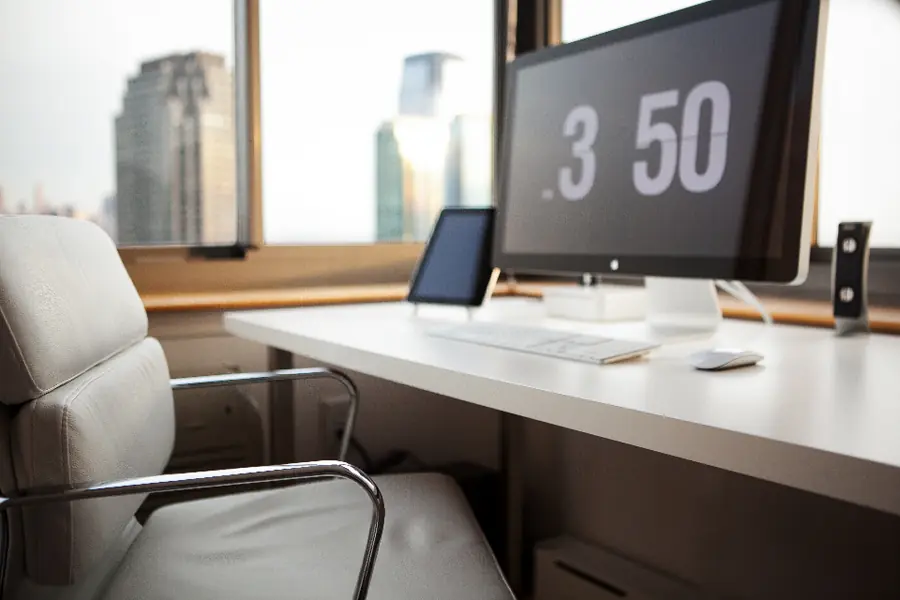
We spend hours a day at the computer, and a poorly set up workplace eventually shows up as back and neck pain and tired eyes. The good news is that the right setup solves most problems. Here is a practical guide.
Chair and sitting
The chair is the foundation. Set it up so that:
- Your feet are fully on the floor and your knees form roughly a right angle.
- Your thighs are horizontal, or tilted slightly forward.
- The backrest supports your lower back, do not slouch.
- Your elbows are close to your body and form roughly a right angle when typing.
Desk height
The desk should be at a height where your forearms are horizontal and your wrists are not bent. With a fixed desk, adjust the chair to it, with an adjustable desk set the desk. Alternating sitting and standing at an adjustable desk relieves the back.
Monitor position
This is key for the neck and eyes:
- The top edge of the screen at eye level or slightly below it.
- At arm’s length distance, roughly 50 to 70 cm.
- The monitor directly in front of you, not turned to the side.
If you work with a laptop for longer, you actually face a built-in problem: the keyboard is low, so the screen ends up too low in front of you, which strains the neck. The fix is simple. Raise the laptop on a stand or pad so the top edge of the screen is at eye level, and add an external keyboard and mouse. Connecting an external monitor is even better. With multiple screens, the article on working with two monitors helps.
Keyboard and mouse
- Keyboard directly in front of you, wrists straight, not bent up.
- Mouse close to the keyboard, so you do not stretch your arm.
- For longer work, consider ergonomic variants, more in the article on choosing a keyboard and mouse.
Light and eyes
Place the screen so that no window or lamp reflects in it (ideally to the side of the window, not with your back or face to it). For tired eyes, the 20-20-20 rule helps: every roughly 20 minutes, look for 20 seconds at an object at least 20 feet away (about 6 metres). Looking into the distance relaxes the eye muscles, which stay tense when focusing up close. Blinking consciously also helps, because we blink less while watching a screen and the eyes dry out.
Common mistakes to avoid
- A laptop on your lap or on the couch. Comfortable for a moment, but it harms the back and neck in the long run.
- A monitor too far or too close. It leads to squinting or leaning your head forward.
- A phone between ear and shoulder during long calls. Use headphones or a hands-free.
- Sitting without back support on the edge of the chair. Sit with your full weight back against the backrest.
Movement and breaks
No setup replaces movement. Every hour stand up, stretch and change position for a moment. Even a short break helps the back and concentration a lot. Sitting correctly and caring for your back can help too.
Setting up offices or a home office and want healthy and functional workplaces? Get in touch, we will advise on the equipment and layout.
We set up an ergonomic workplace for you
We advise on choosing a desk, chair and monitor and set up your workplace exactly to fit you. For homes and businesses across Liptov.
Set up your workplaceThis article is part of our Hardware and components overview.
Comments and questions 0
We keep the discussion to the point. Ads, links to other services, profanity and personal attacks will not be published. Neither will posts containing other people's personal data.
Frequently asked questions
What is the correct monitor height?
Why does my neck hurt when working on a laptop?
How should I set up my chair?
What is the 20-20-20 rule for eyes?
How often should I take breaks during sedentary work?
Is working on the couch or with a laptop on your lap harmful?
Need help with IT?
We will take care of your computers, networks and security - for businesses and households in the Liptov region.
Contact us