
What DOS was: the operating system the first computers stood on
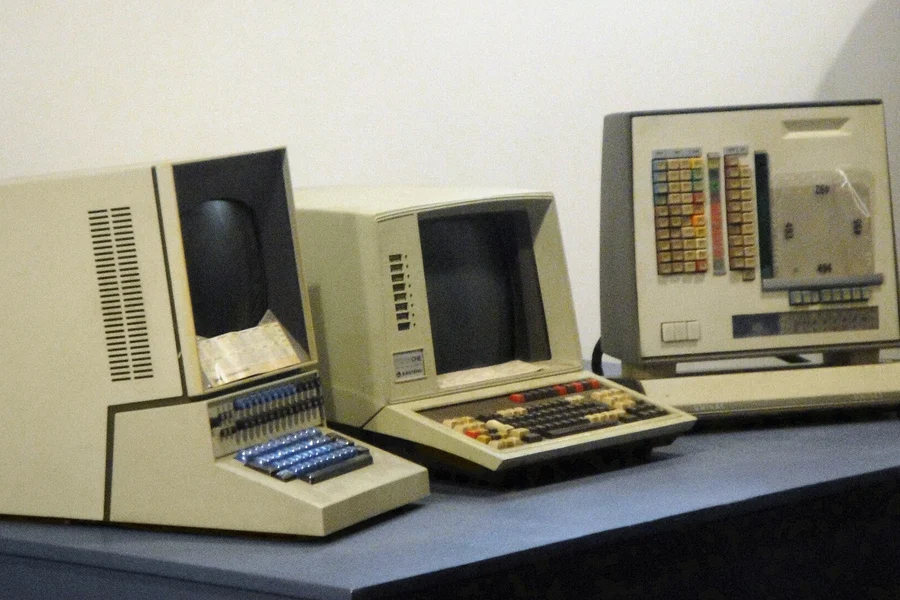
Photo: Marie Mosley · CC BY 2.0 · Wikimedia Commons
Before computers were controlled by windows, icons and a mouse, a black monitor with a blinking cursor reigned, where you typed commands. That was DOS, the operating system the first personal computers grew up on. Let us recall what DOS was, how it worked and why its mark lives on today.
What DOS was
DOS (Disk Operating System) was an operating system controlled by text commands that became widespread in the 1980s and early 1990s. The best-known version was MS-DOS from Microsoft. Instead of clicking a mouse, you gave the computer instructions by typing a command and pressing Enter.
It was the foundation the first personal computers ran on, and even the first versions of Windows were originally a layer on top of DOS.
How it worked
- A text, not graphical environment. No windows or icons, just the command line.
- One task at a time. DOS ran one program until it finished. No switching between multiple windows.
- Working through commands. You controlled everything by typing, which required knowing commands by heart.
- Modest requirements. It ran on hardware that is unimaginably weak today.
Typical commands
Anyone who experienced DOS remembers commands like:
dirto show the contents of a folder.cdto change folders.copyto copy files.delto delete.formatto format a disk.
These commands may remind you of something, and not by chance. They live on in today’s Windows command line and in a similar form also in Linux commands.
Why it mattered
DOS was the springboard of a whole era of personal computers. It taught a generation to work with a computer, laid the foundation for Windows and its logic of control through commands survives in modern systems. Without DOS, today’s computers would look different.
Historical curiosities
Several stories surround the birth of DOS that rank among the best known in the history of computing:
- DOS began as a “quick stand-in”. In 1980 programmer Tim Paterson wrote a system called 86-DOS, nicknamed QDOS, the Quick and Dirty Operating System. Microsoft bought it for roughly 75,000 dollars and licensed it to IBM. Today the purchase ranks among the best bargains in history.
- IBM knocked elsewhere first. It originally wanted the CP/M system from Digital Research for its computer. The deal fell through, however, so IBM turned to Microsoft. Had those negotiations gone differently, software history would look completely different today.
- File names had only 8 + 3 characters. DOS allowed a name of at most eight characters plus a three-character extension, which is why files were called things like REPORT01.TXT. Long names arrived only with Windows 95.
- The notorious 640 KB limit. Programs had only 640 KB of conventional memory available, and working around that limit was daily gymnastics for users and programmers for years.
DOS milestones at a glance
| Year | Milestone |
|---|---|
| 1980 | Tim Paterson writes 86-DOS (QDOS) at Seattle Computer Products |
| 1981 | The IBM PC arrives with PC DOS 1.0, Microsoft buys the rights to 86-DOS |
| 1983 | MS-DOS 2.0 brings folders and hard disk support |
| 1991 | MS-DOS 5.0 adds better memory management and a text editor |
| 1994 | MS-DOS 6.22, the last version sold on its own |
| 1995 | Windows 95 hides DOS under a graphical environment |
| 2000 | Windows Me, the last system built on DOS |
Common myths about DOS
- “DOS was the first operating system.” It was not. Systems for mainframes existed before it, as did CP/M for the first personal computers. DOS was, however, the first mass-market system for the IBM PC and its clones.
- “Bill Gates wrote MS-DOS.” He did not. The original code was created by Tim Paterson; Microsoft bought the system, adapted it and developed it further. The business move, though, was Gates’s.
- “Windows 95 abolished DOS.” In reality Windows 95, 98 and Me still stood on DOS, they just hid it under a graphical environment. DOS disappeared for good only with the Windows NT family, from which today’s Windows descends.
- “DOS is dead.” As a main system yes, but FreeDOS is still used today for firmware updates, in industrial equipment and among enthusiasts.
The legacy of DOS today
As a main system DOS no longer runs, it was replaced by graphical systems like Windows, Linux and macOS. But its legacy is everywhere:
- The command line in Windows is a direct descendant of the DOS idea and many commands still work the same today.
- The drive letters C:, D: and so on come from the times when A: and B: belonged to floppies.
- The FAT file system that DOS used lives on today in USB sticks and memory cards.
- Batch files (.bat) for automating tasks still work in Windows today.
- Retro enthusiasts run old DOS games via emulators, more in the article on retro gaming and emulators.
- Some specific and industrial systems still use the simplicity of text control today.
Conclusion
DOS was a text operating system the first personal computers stood on. It was controlled by commands, did one thing at a time and required knowing commands by heart. Although it was replaced by graphical systems, its legacy lives on in the command line and in the logic of how computers still work under the hood.
We can help with older systems too
We will help with migrating from old software to a modern solution, with rescuing data and with getting unusual hardware running. For homes and businesses in the Liptov region.
Talk to usThis article is part of our Software and system overview.
Comments and questions 0
We keep the discussion to the point. Ads, links to other services, profanity and personal attacks will not be published. Neither will posts containing other people's personal data.
Frequently asked questions
What does the abbreviation DOS mean?
Who created MS-DOS?
Why do drives in Windows have letters and the system drive is C?
Can DOS still be run today?
Was Windows a standalone system or a layer on top of DOS?
Why did DOS have the notorious 640 KB memory limit?
Need help with IT?
We will take care of your computers, networks and security - for businesses and households in the Liptov region.
Contact us