
How to choose a webcam and microphone for video calls
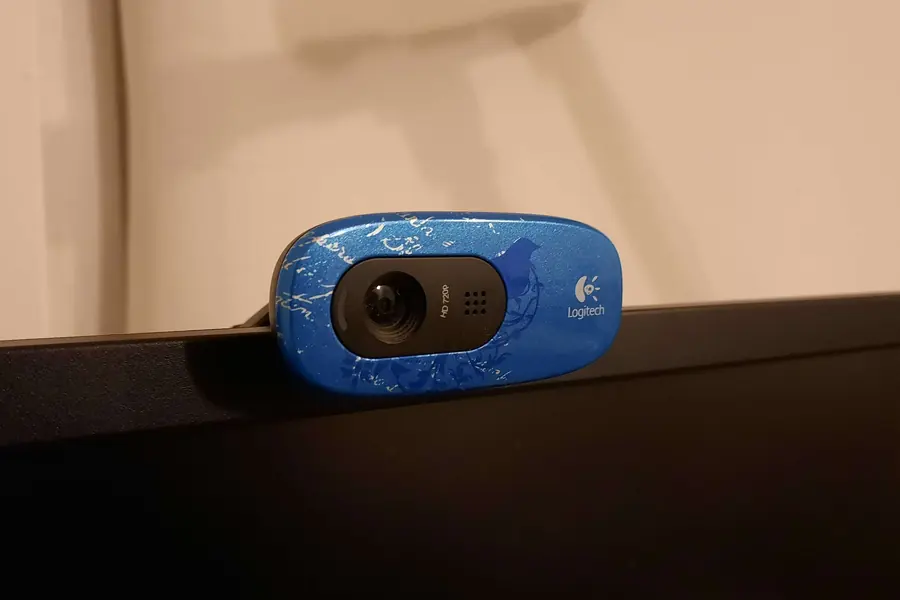
Video calls and online meetings are now part of work and life. The built-in camera in a laptop usually is not enough, though, and poor sound can ruin a whole call. Let us explain how to choose a webcam and microphone so you both look and sound good.
Why an external webcam
The camera built into a laptop tends to be small and noisy in low light. An external webcam offers a better picture and you place it at a better height and angle, so you do not look down on others.
Webcam: what to look at
- Resolution. For ordinary calls Full HD (1080p) is plenty, you only appreciate 4K for more demanding use. Note that many platforms transmit the picture at a lower resolution anyway, so the difference may not be visible on the other end.
- Frames per second (fps). Look for at least 30 fps, which gives a smooth picture. Cheap cameras sometimes drop to 15 fps in low light and the picture stutters.
- Autofocus and low-light behaviour, so you are sharp and not noisy even in worse lighting.
- Field of view, narrower for one person, wider for several people in a room.
- A privacy cover that physically blocks the camera when you are not using it.
The microphone matters more than the picture
This is important: in a call people forgive an average picture, but bad sound is unbearable. The options are:
- A microphone built into the camera is the basic and fine for an occasional call.
- A headset (headphones with a microphone) gives the cleanest voice in calls and suppresses echo. Wireless ones work over Bluetooth.
- A standalone USB microphone offers the best quality for podcasts, streaming and professional calls.
- A lapel microphone suits when you move around or record video.
With a standalone microphone you will come across the term polar pattern. The most common is cardioid, which picks up sound mainly from the front and suppresses surrounding noise, ideal for calls and a podcast from one spot. An omnidirectional pattern picks up equally from all sides and suits a meeting room with several people. Most desktop USB microphones are condenser, which means a sensitive, detailed sound, but they also catch more ambient noise, so make sure the room is quiet.
Do not underestimate lighting
Good light does more for the picture than an expensive camera. Sit facing the light (a window or lamp in front of you), not with your back to a window, otherwise you will just be a dark silhouette.
Connection
Most webcams and microphones connect via USB and work right after plugging in. Just check that you have a free USB port of the right type.
What for whom
- Ordinary calls from home: a quality 1080p webcam plus a headset.
- A podcast or streaming: a standalone USB microphone and a good camera.
- A company meeting room: a quality camera with a wider view and a room microphone.
Choosing equipment for video calls?
We will advise on choosing a camera and microphone and help with the setup so you look and sound professional. For homes and businesses in the Liptov region.
Get in touchThis article is part of our Hardware and components overview.
Comments and questions 0
We keep the discussion to the point. Ads, links to other services, profanity and personal attacks will not be published. Neither will posts containing other people's personal data.
Frequently asked questions
Why buy an external webcam if I already have one in my laptop?
What webcam resolution is enough for ordinary calls?
Why does the microphone matter more than the picture?
What is a cardioid microphone pattern?
Which headset should I choose for video calls?
How can I improve my video call picture without a new camera?
Need help with IT?
We will take care of your computers, networks and security - for businesses and households in the Liptov region.
Contact us