
How to sit at a computer so your back does not hurt: chairs and alternatives
Long sitting at a computer sooner or later shows up as back and neck pain. The solution is not a single miracle chair, but correct sitting and especially alternating positions. Let us go through the options, from a classic chair through an exercise ball to a kneeling chair, and advise what suits whom.
Why the back hurts
The body is not built to stay in one position for hours. With long sitting, the supporting muscles weaken, muscles shorten and pressure builds on the spine. Add slouched sitting and the pain is here. The key word is therefore movement and change.
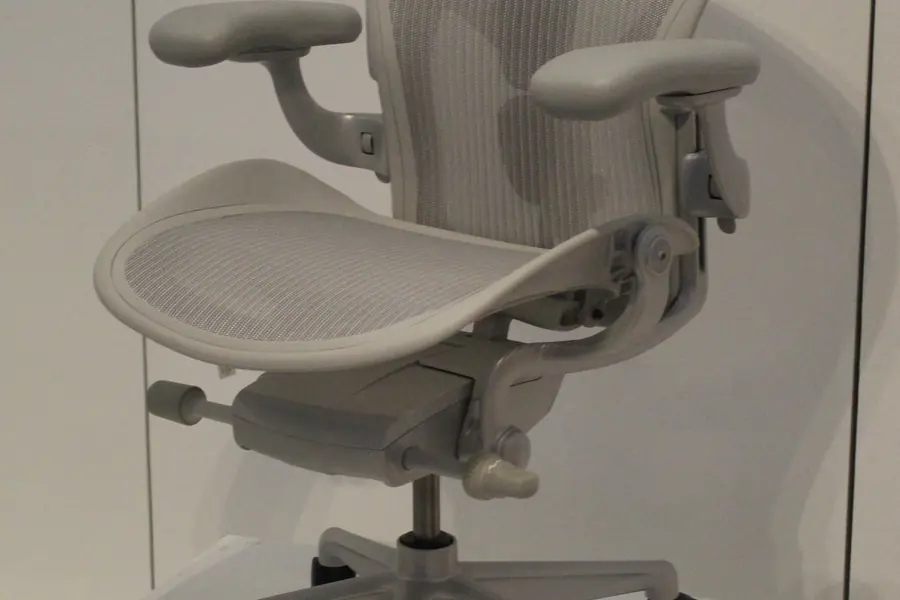
A classic ergonomic chair
The foundation and the most universal solution. A good ergonomic chair:
- Supports the lower back (lumbar area).
- Has an adjustable height and backrest, so it fits your build.
- Lets your feet stand on the floor and thighs be horizontal.
How to set it up correctly is discussed in the article on workplace ergonomics. For long sitting, a quality chair is an investment that pays back in health.
Exercise ball (gym ball)
Sitting on a large ball forces the body to constantly balance, engaging the deep muscles and preventing stiffness.
- Pros: active, dynamic sitting, strengthens the core.
- Cons: no back support, tiring for a whole day. More suitable for alternating, not as the only seat.
Kneeling chair
A chair on which you partly kneel and the weight is distributed between the seat and the knees.
- Pros: forces upright sitting and relieves the lower back, prevents slouching.
- Cons: pressure on the knees, needs getting used to, does not suit everyone for long.
Saddle chair
A saddle-shaped chair on which you sit with your legs lower and a more open hip angle.
- Pros: naturally upright sitting, less pressure on the spine.
- Cons: a higher desk and getting used to it, not for everyone.
A standing (adjustable) desk
It is not a seat, but perhaps the most effective change. Alternating sitting and standing during the day significantly relieves the back.
- Pros: movement and a change of position, fewer hours sitting.
- Cons: standing all day is not ideal either, it is about alternating. A higher price for an adjustable desk.
The most important rule: alternate positions
This is the core of the whole article. No seat is perfect for a whole day. The healthiest is to alternate positions: a while in an ergonomic chair, a while standing at an adjustable desk, occasionally an exercise ball. The body needs change, not one “correct” position for eight hours.
Movement and breaks
Even the best seat does not replace movement:
- Stand up and stretch every hour.
- A short walk around the office or flat.
- Simple back and neck exercises during the day.
This also relates to the overall setup of a home office, more in the article on the perfect home office.
Conclusion
Back pain from a computer cannot be solved with one chair, but with correct sitting and especially alternating positions and movement. An ergonomic chair is the foundation, an exercise ball, kneeling chair, saddle chair and standing desk are great supplements for alternating. The best position is the next one you will soon move into.
Ergonomic workplace setup
We will help you choose the right chair, desk and workplace layout so sitting at a computer stops hurting. For homes and businesses in the Liptov region.
Get in touchThis article is part of our Hardware and components overview.
Comments and questions 0
We keep the discussion to the point. Ads, links to other services, profanity and personal attacks will not be published. Neither will posts containing other people's personal data.
Frequently asked questions
Why does my back hurt from sitting at a computer for a long time?
What is the best chair against back pain?
Is it worth sitting on an exercise ball instead of a chair?
What is a kneeling chair and who is it suitable for?
Does a standing desk help with back pain?
How often should I stand up while working at a computer?
Need help with IT?
We will take care of your computers, networks and security - for businesses and households in the Liptov region.
Contact us